Automate Reviewee Addition & Phase Launches in Review Cycles
We’ve introduced a new Automation Framework for Review Cycles that helps admins automate reviewee onboarding and downstream phase launches without repetitive manual setup.
Automation Management:
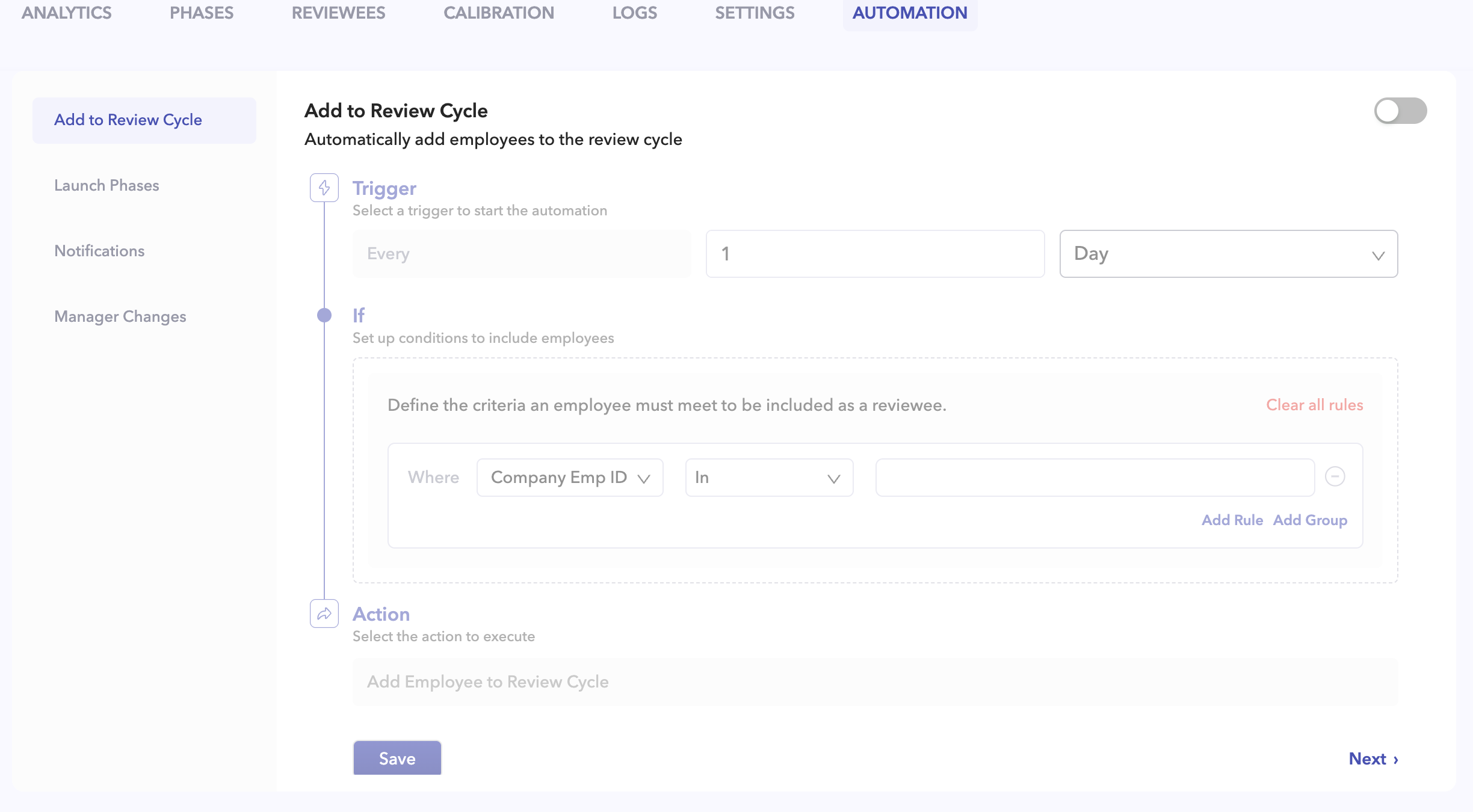
A dedicated Automations tab is now available within the Review Cycle Management screen. Admins can create, manage, enable, disable, and monitor automation workflows from a centralized location while also tracking the current status of each automation.
Add Reviewee Automation:
Admins can configure flexible Trigger → Filter → Action workflows to automatically add employees into a review cycle.
The framework includes an advanced query builder with support for nested AND/OR conditions across multiple employee attributes such as Employee ID, Department, Division, Business Unit, Location, Title, Level, Employment Type, Gender, Date of Joining, and Date of Exit.
Supported operators vary by field type and include:
- In / Not In for multiselect fields
- Numeric operators such as =, ≠, >, <, >=, <=, and Between
- Date-based operators including Before, After, Between, Last X Days/Months, and Exactly X Days/Months Ago
Admins can also preview filtered reviewees before saving the automation. Existing reviewees are automatically skipped to prevent duplicate additions.
Automation Execution:
Automations execute based on the configured trigger frequency in the account’s local timezone, typically during evening low-traffic hours.
On first enablement or after trigger updates, automations follow the next eligible execution window automatically.
Phase Launch Automation:
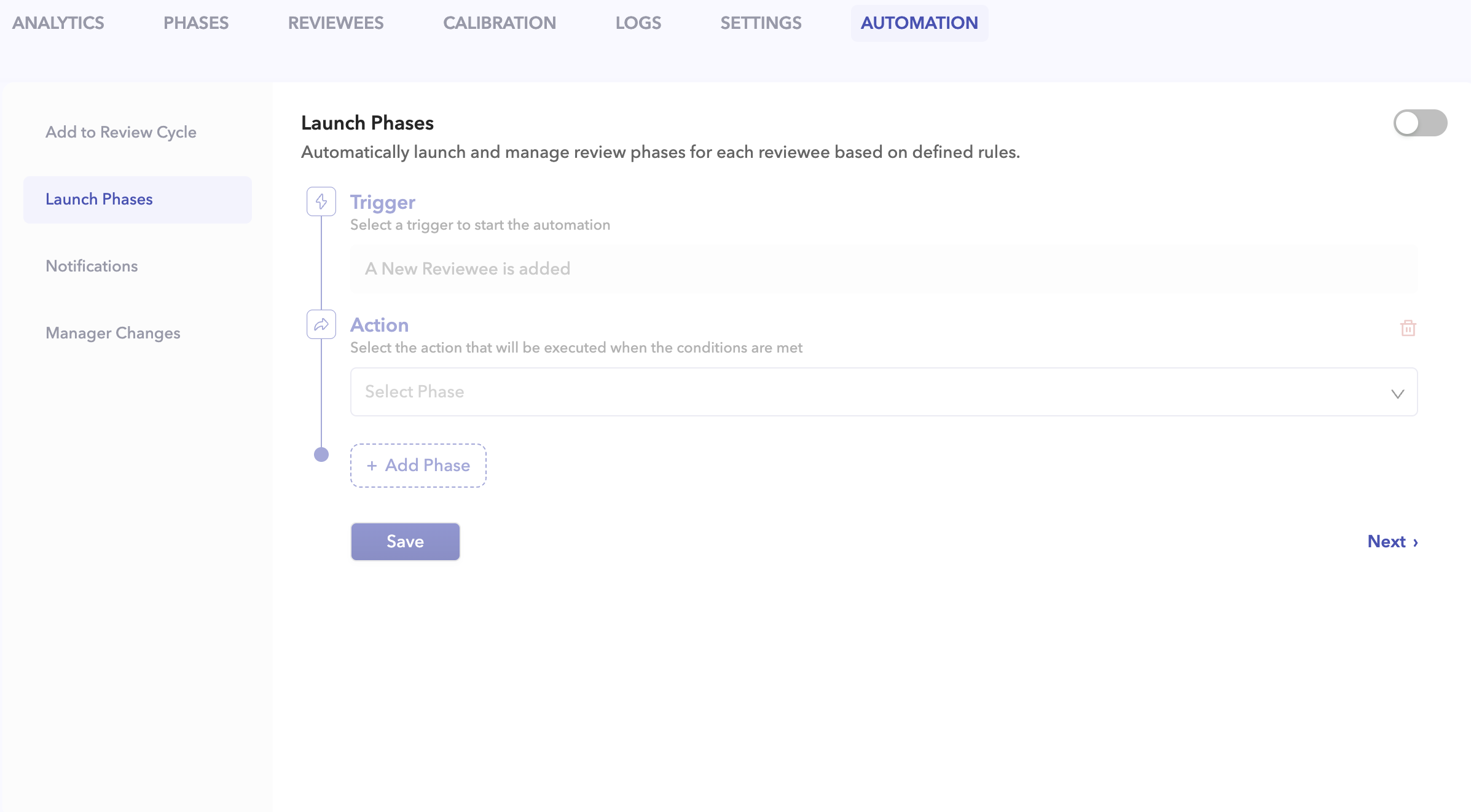
The new Phase Launch Automation allows one or multiple phases to be automatically launched whenever a new reviewee is added, either manually or through Add Reviewee Automation.
Admins can configure:
- Instant launches
- Specific date launches
- Relative launch timing based on days, weeks, or months
End timing can also be configured using global dates, fixed dates, relative timelines, and user-level overrides.
Multiple phases can be chained together under a single automation rule, with each phase functioning independently.
Notifications & Conflict Handling:
Phase launches support Slack, Email, MS Teams, and Silent Launch notification options with fully configurable notification content.
If a phase has already been launched for a user, the automation automatically relaunches it with updated timelines to ensure consistency.
Logs & Daily Digest:
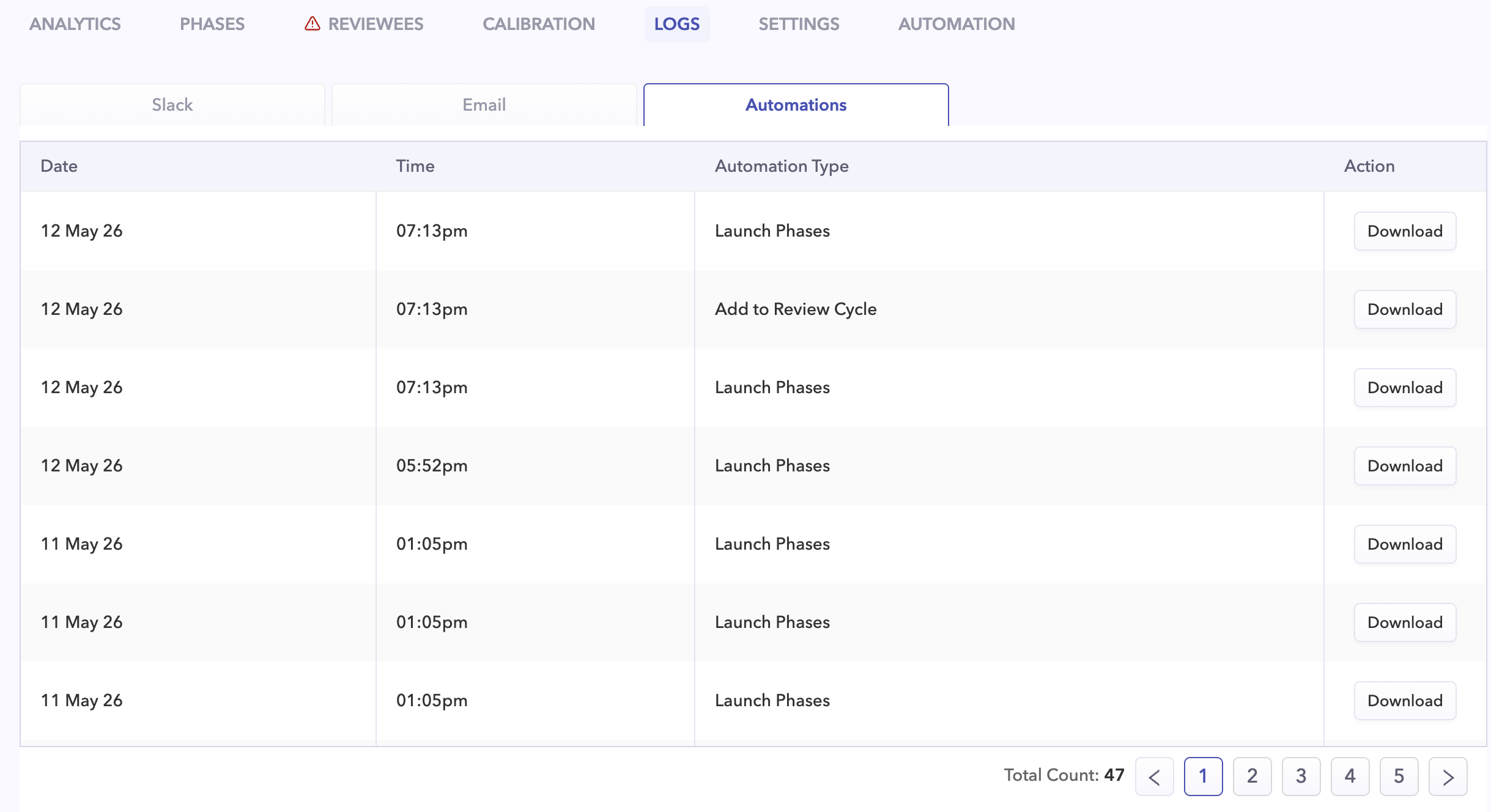
A dedicated Logs tab provides complete automation run history, including employee ID, timestamp, execution status, and error details. CSV download support is also available from the centralized logs page.
Additionally, review cycle admins receive a daily digest email after each successful run whenever employees are added. The digest includes processed counts, success and failure summaries, and employee-level failure reasons for easier debugging and monitoring.
Duplication & Archival Support:
Duplicating a review cycle also duplicates its automations, while keeping duplicated automations disabled by default for safety. Archived review cycles automatically stop all automation executions.
Why This Matters:
This framework reduces repetitive manual setup for recurring review cycles, ensures employees are added dynamically through configurable filters, and automates downstream phase launches at scale.
With detailed logs, digest summaries, configurable execution windows, and instant staging execution support, admins now have better operational visibility and control over review cycle automation workflows.