Introducing Deferred Status for Goals
🎯 Goals
We’re introducing Deferred Status, a new way to manage goals that are no longer immediate priorities—without deleting or losing track of them.
What Is Deferred Status?
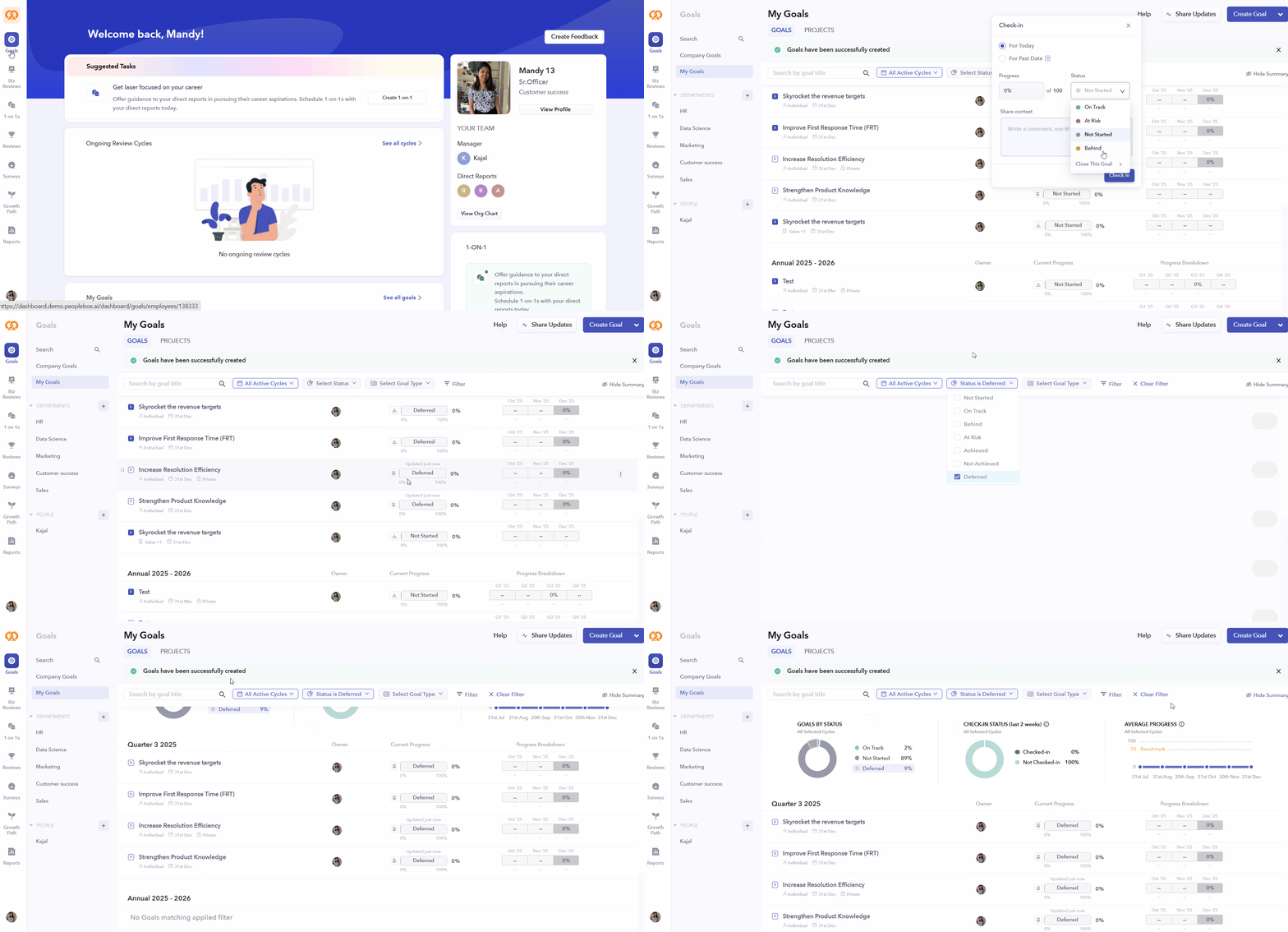
Deferred Status allows you to pause or deprioritize a goal while retaining it for future use. It sits between active tracking and goal closure, offering greater flexibility in goal management.
How It Works?
- Deferred goals are excluded from progress tracking, averages, and check-in calculations.
- They are not counted under “Checked-in” or “Not Checked-in” statuses.
- Deferred goals can be reactivated at any time.
- All charts, filters, and summary views support the Deferred status.
- The Share Updates screen, Projects tab, and Goals Upload flow now include this status.
- Deferred goals remain visible in 1-on-1 discussions.
- In Performance Reviews, goals can be deferred and also added to active review cycles.
- Reports include Deferred goals for complete visibility.
How to Defer a Goal?
- Open the status menu on a goal.
- Select Close the Goal.
- Choose Deferred as the status.