Release Announcement: Enhanced Performance Review Scoring & Final Score
We've introduced a major upgrade to performance review scoring across the review experience. This release makes performance review scoring more consistent and flexible across the platform, while introducing Final Score to give admins a single rating to share with employees after reviews are released.
1. Score Block Customization:
- Sectional and overall score blocks can now be renamed at any time, even after reviews have been written.
- Sectional and overall score blocks now support a Private visibility option. When enabled, only admins can view the score on the web, while it remains hidden from all other viewers.
2. Stored & Consistent Scores:
- Goal and competency scores are now stored individually for each reviewer.
- Multi-reviewer rollups for goals, competencies, and overall scores are generated using these stored scores.
- The same stored scores are used consistently across the web application, PDF exports, calibration, and Slack, eliminating differences caused by recalculating scores in different places.
3. Smarter Score Calculation:
- Multi-reviewer aggregated scores now include only reviewers who have submitted their reviews.
- Reviewers whose reviews are rejected or not yet approved are automatically excluded from score calculations.
4. Overall Score on All Review Forms:
- Overall score blocks can now be added to any reviewer form (Self, Manager, Peer, Custom Reviewer, Skip Manager, or Direct Report), eliminating the need to rely solely on a manager summary form.
Calibration Enhancements?
Goals, Competencies & Overall Scores:
Admins can now independently calibrate:
- Goal scores
- Competency scores
- Overall scores
Additional enhancements include:
- Calibrated scores override computed scores throughout the application and PDF exports.
- Calibration data supports CSV import and export.
- Calibrated scores are reflected in: Line Chart, Bar Chart, & 9-Box View.
New Feature: Final Score:
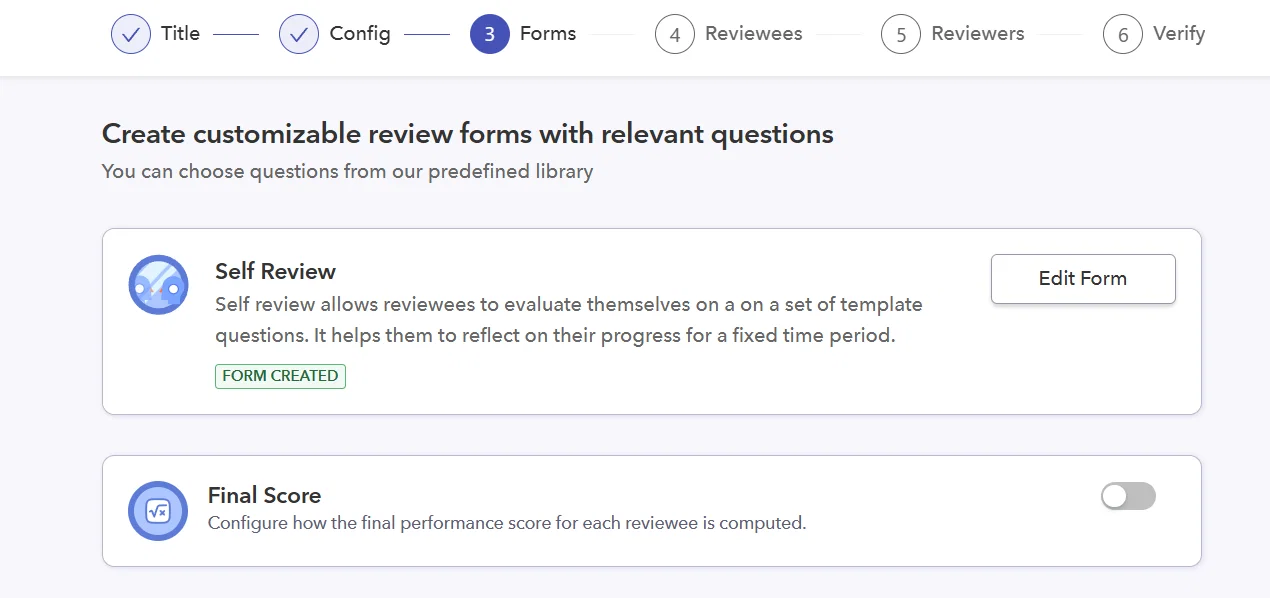
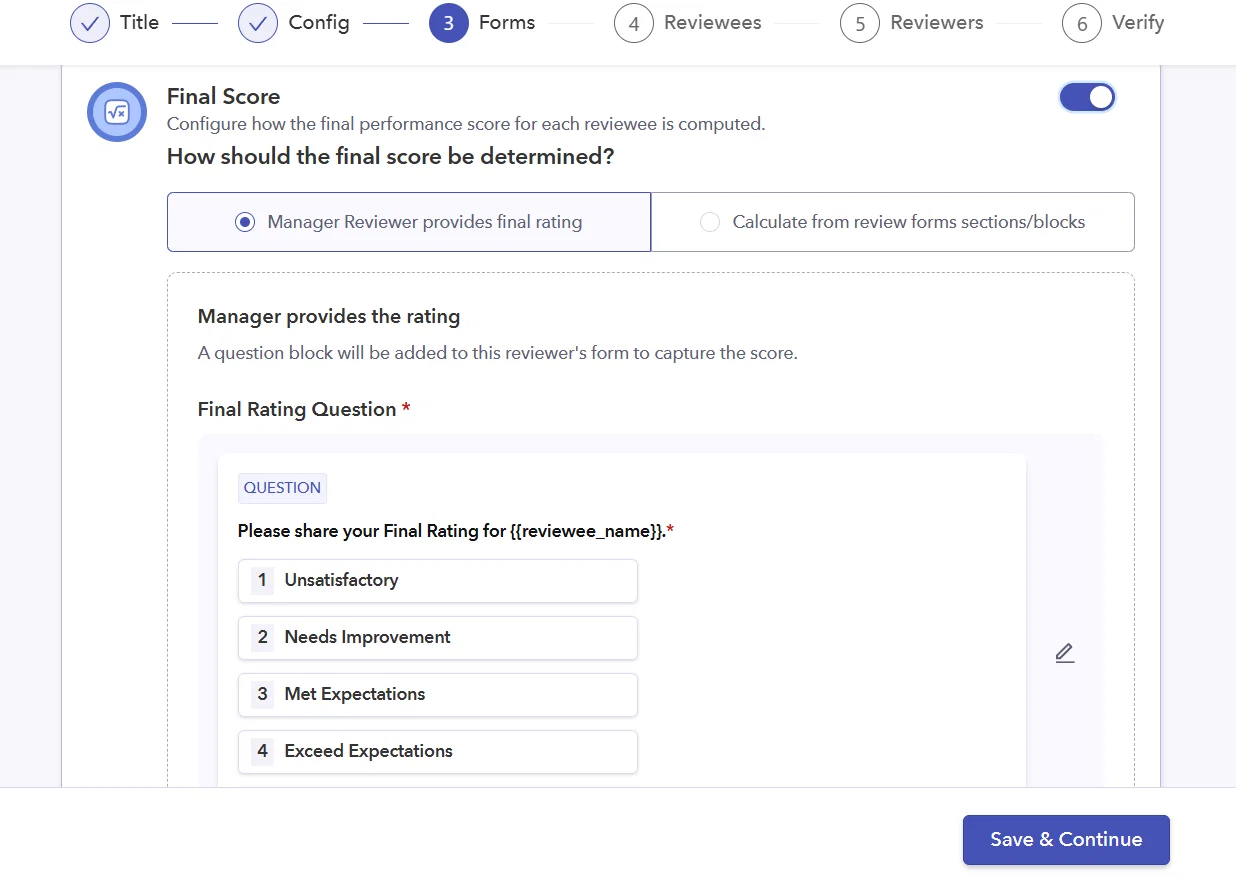
A new Final Score can now be enabled from: Review Cycle → Forms → Final Score. Once enabled, admins can choose between two methods for determining the final rating.
Option A: Manager-Provided Final Rating:
- A rating question is added to the selected reviewer form (typically the Manager form).
- The rating can be configured like any standard rating question, including: Custom rating scale & Custom legend.
- Managers provide the final rating while completing their review.
- A Private option allows only the manager and admin to view the rating, based on visibility settings.
Option B: Weighted Computed Final Score
Admins can automatically calculate the final score by:
- Selecting score blocks that contribute to the final rating, such as: Overall Scores, Sectional Scores, Goal Scores, & Competency Scores.
- Assigning weightages to each selected block.
- Ensuring the total weight equals 100%, with an option to automatically distribute any remaining weight evenly.
- Applying default weightages to all reviewees.
- Uploading custom per-reviewee weightages via CSV during the Reviewees step.
Note: A Private option is also available, allowing only admins to view the computed final score.
Final Score Visibility:
Admins can configure which reviewer types can view the Final Score while completing their reviews, including: Manager, Peer, Direct Report, Skip Manager, Custom Reviewer, and other reviewer types.
Based on these visibility settings:
- The Final Score is propagated only to the selected reviewer forms.
- Reviewees see their Final Score only after Release Review, where it is displayed prominently between the employee header and the review forms.
Final Score Across the Platform:
- Final Score is supported across Admin Calibration (with CSV import/export), Line Chart, Bar Chart, 9-Box View, Web, Slack, and PDF exports.
- In PDF exports, it appears on the last page for eligible viewers based on their access permissions.
UI & Display Improvements?
- Removed the "Average Score" label next to calculated questions in Release Review and PDF exports.
- Fixed the 9-Box view so goal scores display as blank instead of 0 / Unsatisfactory when no review has been submitted.
- Improved manager change handling:
- Overall scores across forms automatically refresh when the manager changes.
- Final Score follows the updated manager assignment logic.
- New managers begin with a blank score.
- Previous manager scores are preserved separately for historical accuracy.