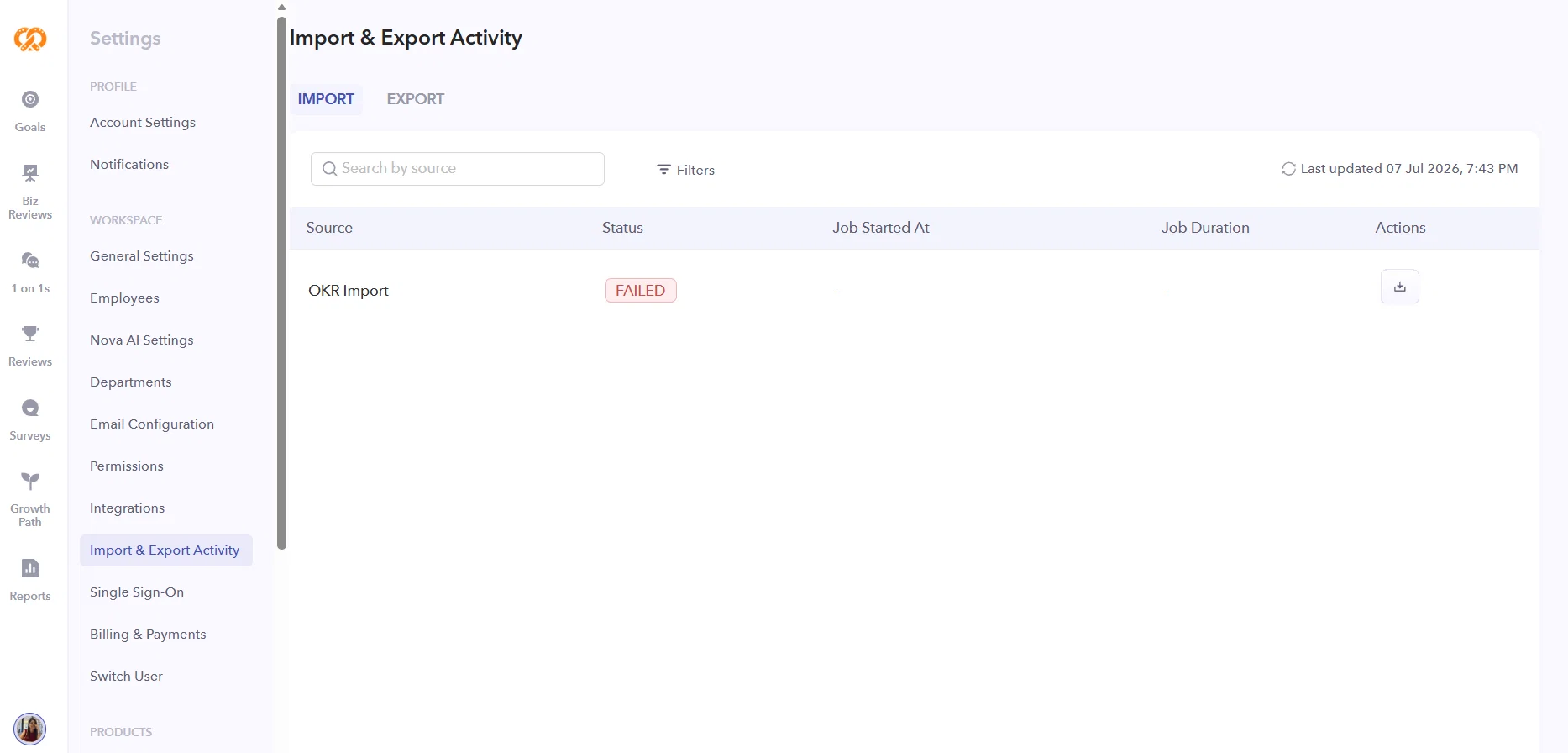
Release Announcement: Import & Export Activity (V1)
We're excited to introduce Import & Export Activity, a new admin dashboard that provides complete visibility into your workspace's import history. With this release, workspace admins can easily track every OKR spreadsheet import, monitor its status, and download detailed reports—all from a single place.
What's New?
Centralized Import Activity:
A new Settings → Import & Export Activity page is now available, with dedicated tabs for Imports (available now) and Exports (coming in a future release).
Complete Import History:
Every OKR spreadsheet import is automatically logged with key details, including:
- Import name
- Import source
- Status
- Number of rows processed
- Start and completion time
- Total processing duration
Detailed Import Reports:
Download a row-level report for every completed import to quickly identify:
- Successfully imported rows
- Failed rows
- Failure reasons for each row
Refresh Without Reloading:
Use the Refresh button to fetch the latest import status without reloading the page. A Last Updated timestamp helps you know when the data was last refreshed.
Powerful Search & Filters:
Quickly find specific imports using search and filters based on:
- Import name
- Import source
- Import status
The filtering experience matches the familiar Goals page, including multi-select options, result counts, and one-click clear.
Email Notifications:
Once an import completes, the admin who initiated it automatically receives an email notification—no need to keep checking the page.
Automatic Report Retention:
Import reports remain available for 30 days, after which they are automatically removed to optimize storage.
Admin-Only Access:
Only workspace admins can access the Import & Export Activity page and download reports. Import and export logs remain private to the admin who initiated the operation and are not visible to other workspace admins.
Localized Experience:
The page is fully supported in English, Arabic, and Spanish, including proper right-to-left (RTL) rendering for Arabic.
Timezone-Aware Timestamps:
All dates and times are displayed in the viewer's account timezone, with exact completion times available on hover over the duration.