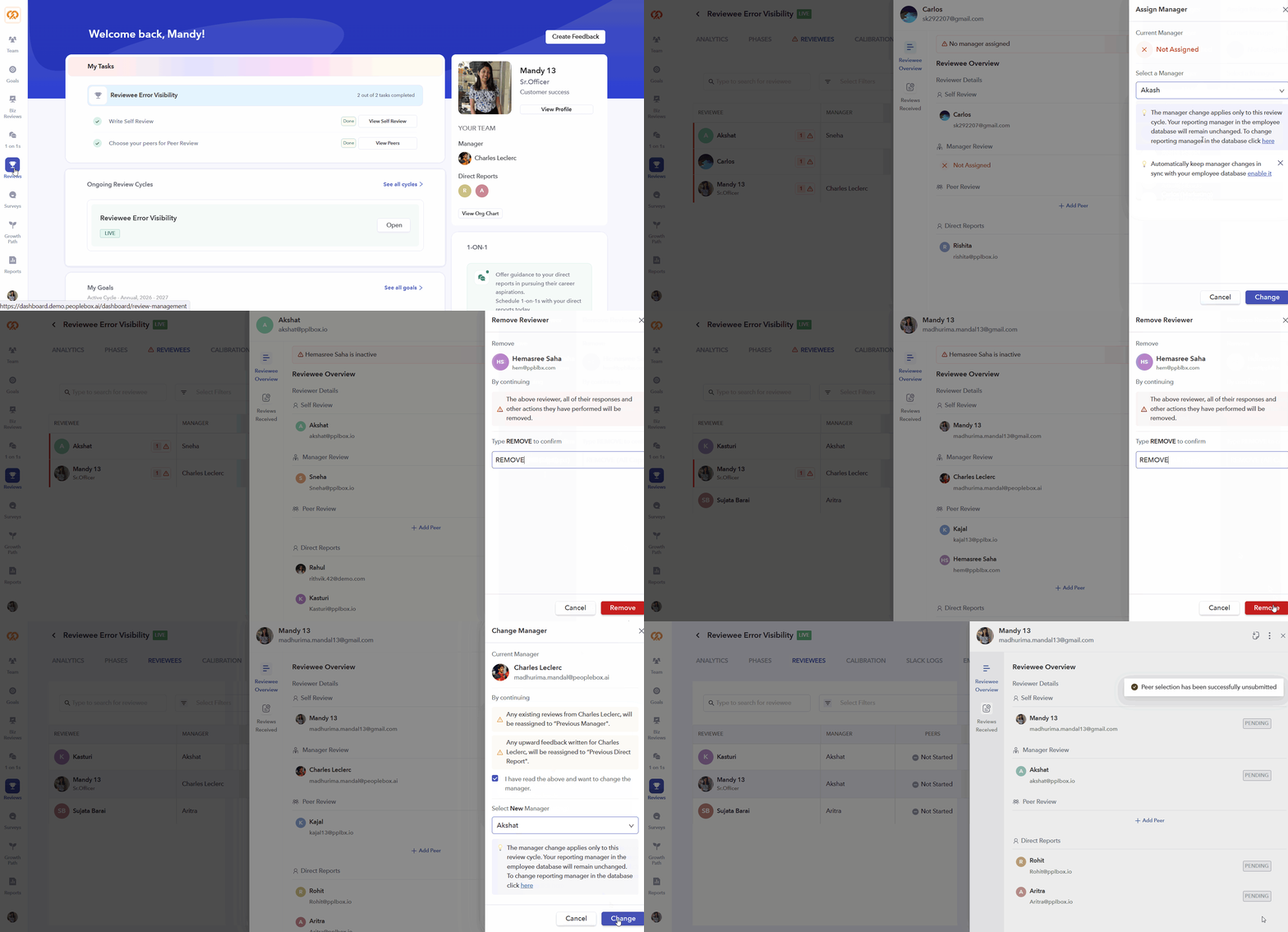
Smarter Reviews, Faster Fixes: Introducing Reviewee Error Visibility & UI Upgrades
🏆 Performance Reviews
This update is focused on improving error visibility and delivering a more intuitive reviewee experience—helping admins identify and resolve issues faster.
Error Visibility Improvements:
We’ve introduced multiple layers of visibility, so no reviewee gets stuck in the process:
- Visual Cues: Error icons and badges now appear on the Reviewees tab and individual rows.
- Smart Filtering: Quickly isolate impacted accounts using the new “Errors” filter.
- Admin Overview: Review cycle cards now show real-time issue counts at a glance.
One-Click Error Resolution: Fix issues instantly without navigating across multiple pages.
- Resolve Now Action: Error banners inside the reviewee drawer allow quick fixes. Supported Fixes:
- Custom attribute not assigned
- Competencies not mapped
- Manager not assigned
- Custom reviewer not assigned
- Peer reviewer not assigned
Redesigned Reviewee Drawer:
A cleaner, more organized workspace for managing individual reviewees:
- Simplified Access: Click on a reviewee row to open the drawer.
- Two-Tab Navigation: Easily switch between Overview and Reviews Received.
- Centralized Actions: Unified header with PDF downloads and expanded actions (Change Manager, Unsubmit, Remove, etc.).
- Enhanced Reviewer Cards: Improved UI with hover interactions and clear alerts for missing data.
Workflow Improvements:
Streamlined processes to save time and reduce friction:
- Manager Updates: Direct link to enable Automatic Manager Changes.
- Competency Management: Quick navigation to Employee Directory for mapping updates.
- Refined “Unsubmit” Logic: Clearer warnings to prevent accidental resets.